
Tech You Need for a Telehealth Visit | SendClinic
- Home
- Tech You Need for a Telehealth Visit | SendClinic
Tech You Need for a Telehealth Visit | SendClinic
Getting Ready for Your First Telehealth Visit
You woke up feeling awful. Your throat hurts, your head is pounding, and the last thing you want to do is drive to a clinic and sit in a waiting room. That is exactly why telehealth exists. You can see a licensed provider from your couch, your kitchen table, or even your car. But before you jump into your first video or phone visit, it helps to know what tech you actually need — and what you can do to make the visit go smoothly.
The good news is that you probably already have everything required. Most telehealth visits do not need fancy equipment or special downloads. A few simple tools and a little preparation can make your visit feel just as easy as a regular doctor’s appointment — maybe even easier.
The Most Important Tool: Your Device
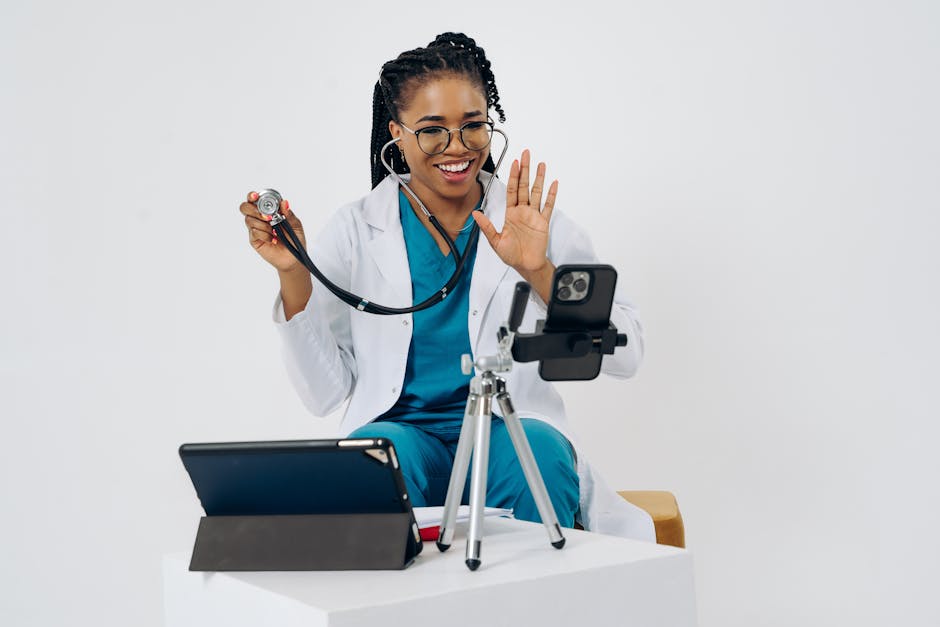
The most basic thing you need for a telehealth visit is a device with a screen, a camera, and a microphone. A smartphone works great. So does a tablet, a laptop, or a desktop computer with a webcam. If you only have a basic phone without internet access, many telehealth providers — including SendClinic — can still connect with you through a regular phone call.
If you are using a smartphone or tablet, make sure it is charged before your visit starts. A low battery in the middle of describing your symptoms is frustrating for everyone. Plugging in your device a few minutes ahead of time is a simple step that makes a big difference. If you are using a desktop computer, check that your webcam and microphone are plugged in and working before the visit begins.
For video visits, your camera does not need to be high-end. The camera built into most smartphones made in the last five years works perfectly well. Providers mostly need to see your face, your skin, or any visible symptoms you are describing. A basic, clear image is all that is needed.
A Solid Internet Connection
After your device, your internet connection is the most important piece of the puzzle. A slow or unstable connection can cause your video to freeze, your voice to cut out, or the call to drop completely. For a smooth video visit, a reliable Wi-Fi connection at home is usually your best bet.
If your Wi-Fi signal is weak in the room you are in, try moving closer to your router. You can also use your smartphone’s mobile data connection if your home Wi-Fi is unreliable. Most video telehealth visits do not use a huge amount of data, so a standard cell phone data plan is usually enough for a short appointment.
Before your visit, you can do a quick test by watching a short video on YouTube or making a video call with a friend or family member. If the video plays clearly without stuttering, your connection should be fine. If it keeps buffering, troubleshoot your connection before your appointment time.
Good Lighting and a Quiet Space
This one surprises a lot of people, but lighting can make a real difference in a telehealth visit. If you are sitting with a bright window behind you, your face will appear dark on the provider’s screen, making it hard for them to see you clearly. Try to sit facing a window or a lamp so the light falls on your face instead of behind you.
A quiet space is also important. Background noise from a TV, kids, pets, or traffic can make it hard for you and your provider to hear each other. Even closing a door or stepping into a quieter room for a few minutes can help. You do not need a perfect recording studio — just somewhere reasonably calm where you can speak and listen clearly.
If you are showing a provider a rash, a wound, or another visible symptom, good lighting becomes even more important. Bright, even light helps the provider see color and detail more accurately. A simple desk lamp nearby can work really well for this.
Optional Tools That Can Help
Some people like to have a few extra items on hand during a telehealth visit. A thermometer is one of the most useful. If you have a fever, knowing your exact temperature gives your provider helpful information right away. A basic digital thermometer is inexpensive and easy to find at most pharmacies.
If you have a blood pressure cuff at home, it can be worth checking your blood pressure before the visit if that is part of what you want to discuss. The same goes for a pulse oximeter, which measures the oxygen level in your blood. These devices are not required, but having the numbers ready saves time and helps your provider get a fuller picture of how you are feeling.
You might also want to have a list ready before your visit starts. Write down your current symptoms, how long you have had them, any medications you are taking, and any allergies you have. Having this information in front of you means you will not forget anything important in the moment.
What to Expect During the Visit
Once your device is charged, your internet is connected, and you are in a quiet, well-lit spot, you are ready. Most telehealth platforms will send you a link by text or email to join your visit. You simply tap or click the link at your appointment time, and you are connected to your provider.
Visits through services like SendClinic are designed to be quick and straightforward. You will talk about your symptoms, answer a few questions, and your provider will give you guidance on next steps. If a prescription is appropriate, it can often be sent to your local pharmacy the same day. The whole process can feel remarkably simple once you have done it once.
After the visit, keep an eye on your email or the platform’s messaging system. Some providers will send follow-up instructions or visit summaries that are helpful to keep for your records.
You Are More Ready Than You Think
Telehealth does not require you to be a tech expert. If you can make a video call or stream a show on your phone, you have all the skills you need. A charged device, a decent internet connection, good lighting, and a quiet space are really all it takes. With just a little preparation, your telehealth visit can be easy, comfortable, and genuinely helpful — all without leaving home.
References
- Bestsennyy, Oleg, et al. “Telehealth: A Quarter-Trillion-Dollar Post-COVID-19 Reality?” McKinsey & Company. 2021.
- Dorsey, E. Ray, and Eric J. Topol. “State of Telehealth.” New England Journal of Medicine. 2016.
- Centers for Disease Control and Prevention. “Telehealth Interventions to Improve Chronic Disease Management.” CDC. 2020.
- Tuckson, Reed V., et al. “Telehealth.” New England Journal of Medicine. 2017.
- National Institutes of Health. “Telehealth: How Virtual Visits Are Changing Health Care.” NIH News in Health. 2022.
Need care today? Skip the waiting room.
See a licensed provider by phone or video — fast, affordable, and from the comfort of home. No insurance required.
Individual results may vary. SendClinic is operated by Affection Health Care LLC.
- Share
